Add-on Manager & Flight Dispatch for X-Plane 12
Organize add-ons across multiple SSDs, isolate profiles with clean symlinks, update aircraft and scenery via SkunkCrafts/X-Updater and Navigraph AIRAC cycles, and fly with 10Hz live telemetry, automated logbook, and SimBrief dispatch.
Manage, Update & Diagnose Your Simulator
Organize add-ons across multiple drives, keep aircraft and navdata up to date, switch profiles on demand, and diagnose crashes.
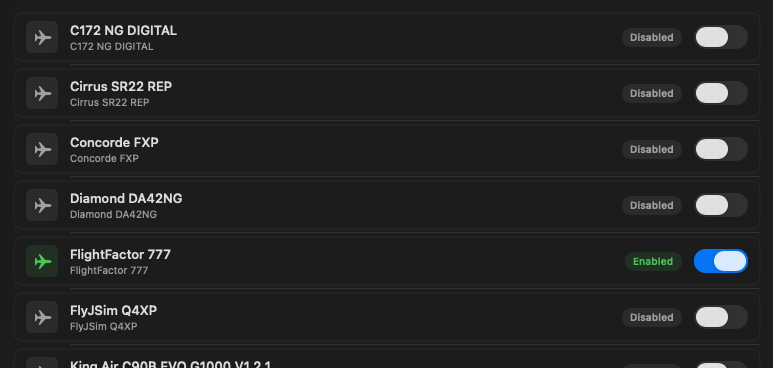
Multi-Drive Storage Pools
Store high-priority aircraft on your internal Mac SSD and massive Ortho4XP or photogrammetry scenery on external drives. If an external drive is unmounted, your library stays safely tracked without corrupting simulator folders.
Safe Symlink Profiles
Keep your primary X-Plane 12 directory pristine. Add-ons remain stored in your storage pools and are cleanly symlinked into X-Plane on demand when switching profiles (VATSIM airliners, GA, bush flying, testing).
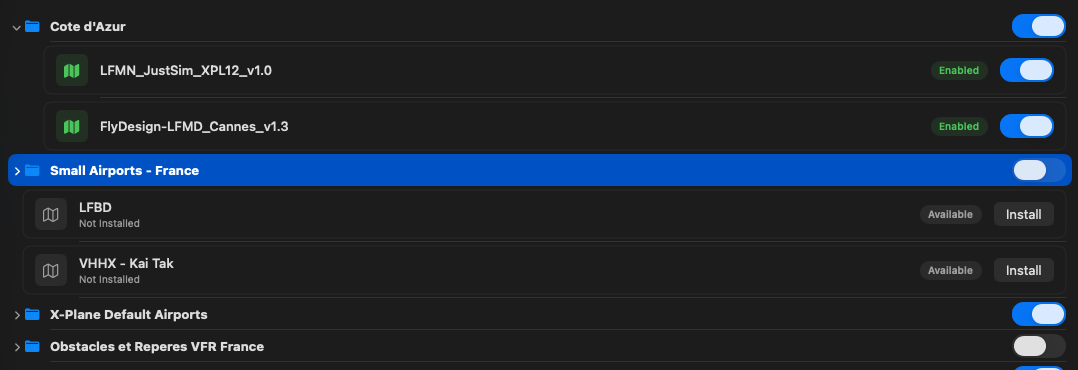
Visual Scenery Pack Ordering
Directly manipulate and reorder scenery_packs.ini via drag-and-drop. Organize scenery into custom groups, toggle packs instantly without moving files, and maintain proper mesh and overlay layer priority.
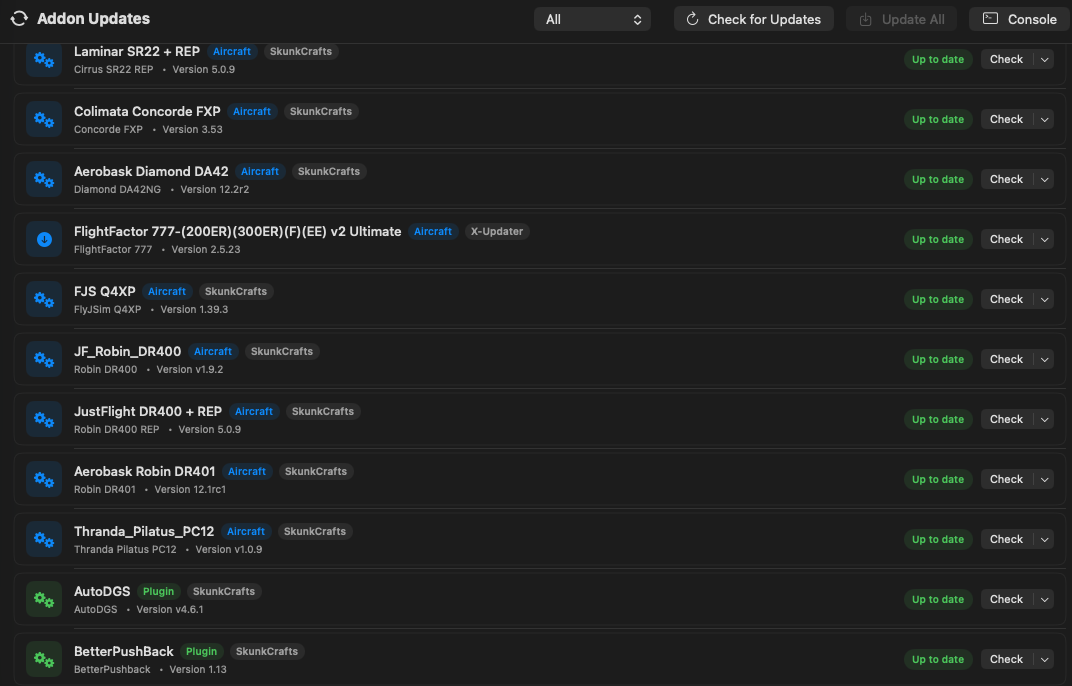
Add-on Updates in One Click
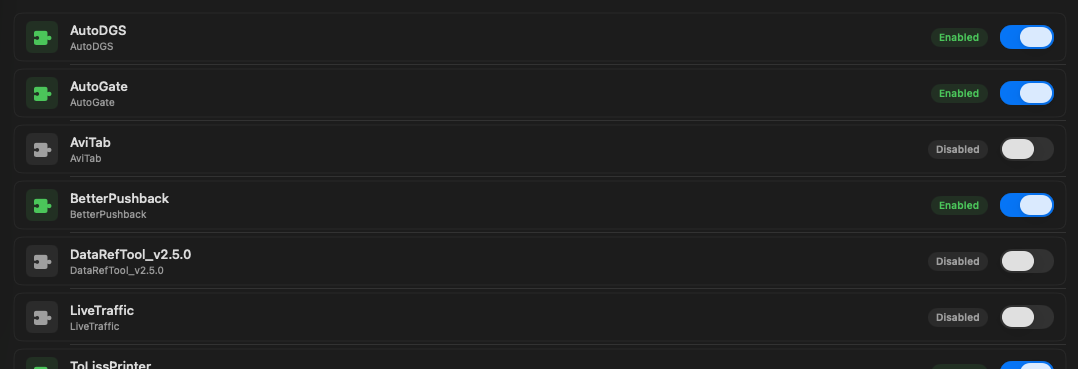
Built-in scanner for SkunkCrafts Updater and X-Updater add-ons. Check remote server manifests, update aircraft and scenery individually or all at once, and watch download and file operations in the live console drawer.
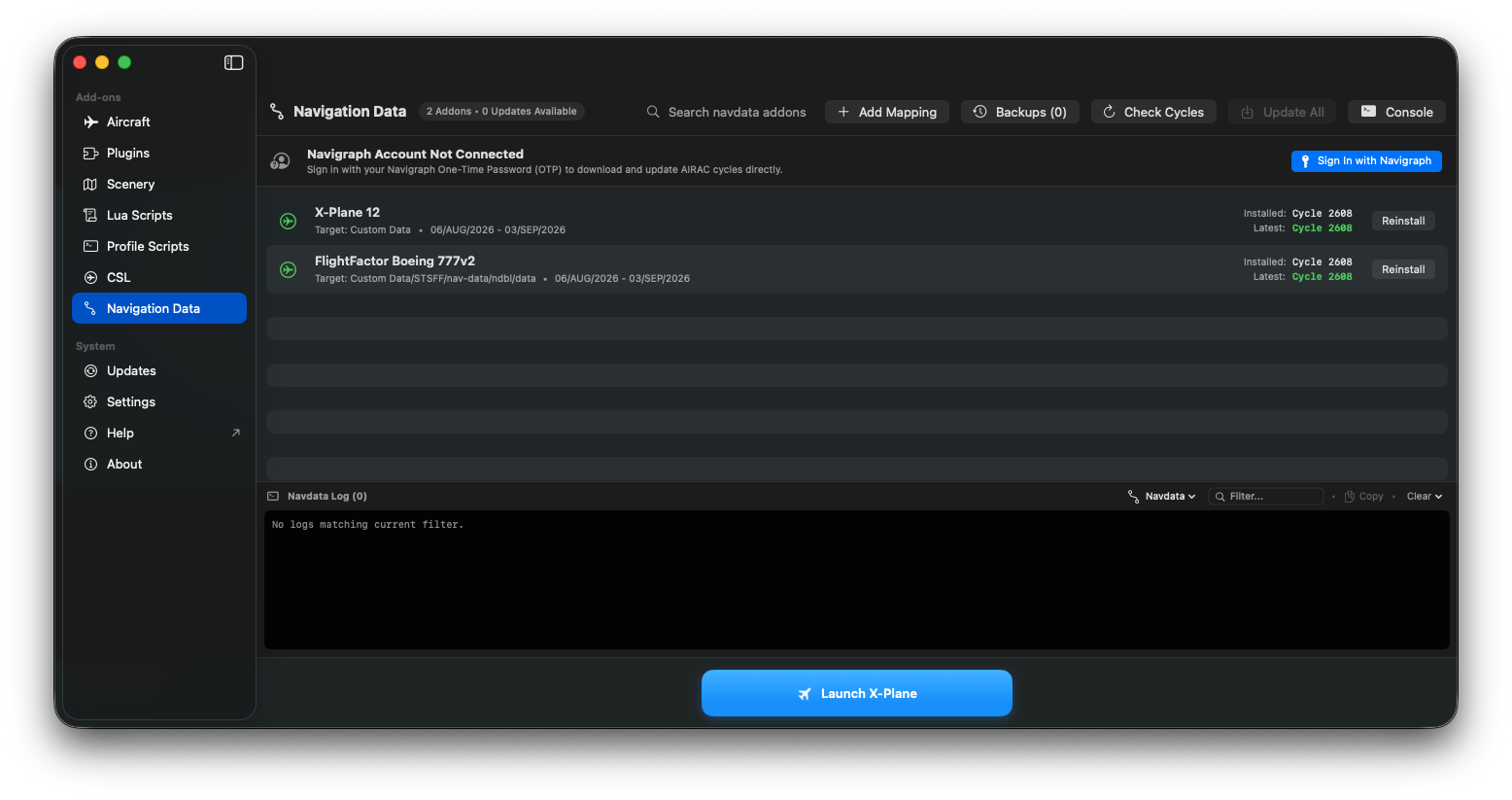
Navigraph AIRAC Cycle Updates
Sign in via Navigraph OTP to download and update monthly AIRAC cycles. Updates base X-Plane 12 Custom Data and third-party FMS databases (FlightFactor 777v2, Rotate MD-11, ToLiss, Zibo) without running separate tools.
Smart Add-on Installer
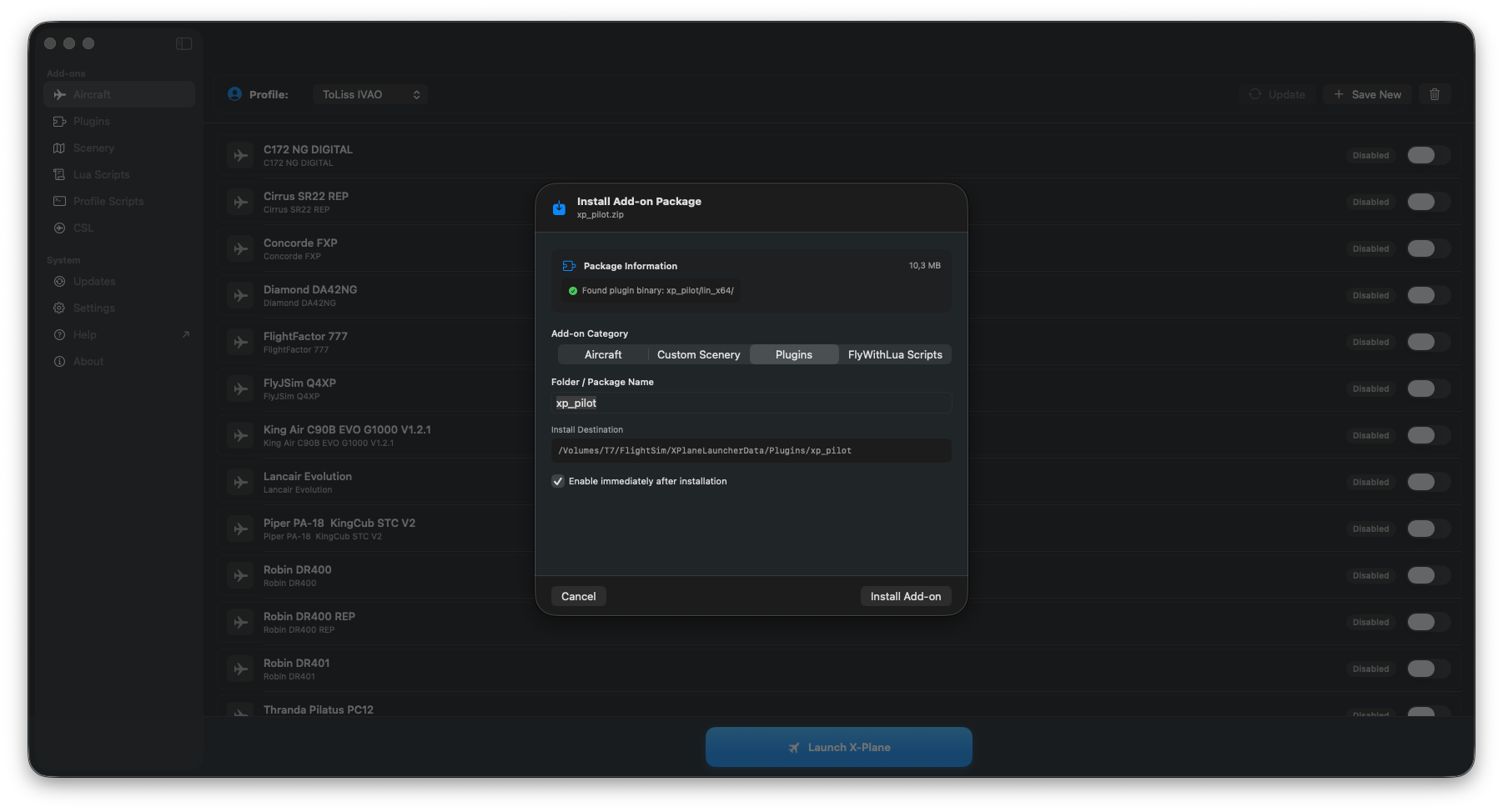
Drag and drop .zip archives, folders, or .lua scripts straight into your storage pools. Automatically classifies aircraft, scenery, or plugins, uncompresses files, and wires symlinks into your active profile.
Mach-O & Dependency Diagnostics
Inspect plugin Mach-O binaries for Apple Silicon (arm64) vs Intel (x86_64) native compatibility, verify required community scenery libraries (OpenSceneryX, MisterX, SAM), and detect broken symlinks automatically.
Crash & Log.txt Diagnostic Engine
Instant triage of simulator crashes. Automatically parses Log.txt to highlight missing textures, SASL/FlyWithLua runtime faults, and aircraft startup loading bottlenecks.
Disk Usage & Shader Cleaner
Identify space hogs and orphaned packages across your storage pools. Clear shader compilation caches and crash logs in one click to reclaim gigabytes of disk space.
Telemetry, Flight Logbook, Landing Analytics & Airspace
XLauncher Pro connects directly to the X-Plane 12 Web API and WebSocket bus. It tracks your flight phases in real time, evaluates touchdown physics, logs every flight locally, and overlays live VATSIM and IVAO networks.
11-Stage Flight Phase State Machine
Automated phase detection tracking your flight in real time without manual inputs:
Automated Flight Logbook
Logs every flight automatically from engine start to shutdown. Records block out/in and wheels off/down times, calculates block and flight duration, max altitude, top groundspeed, and records GPS breadcrumbs for route replay on the map.
Precision Landing Analytics
Samples aircraft dynamics at the exact instant of main gear touchdown. Measures vertical speed in FPM, normal G-force, pitch, bank, and groundspeed, immediately grading touchdown quality without external plugins.
Live VATSIM & IVAO Coverage
Direct status feed polling for VATSIM and IVAO. The interactive flight map displays active traffic, air traffic control positions, ATIS frequencies, and controlled airspace boundaries.
SimBrief Automated Dispatch
Fetch your latest SimBrief Operational Flight Plan with one click. Automatically presets fuel weight, payload, weather conditions, and time of day, and initializes your aircraft cold-and-dark or on the runway.
Live METAR / TAF & Airport Diagrams
Inspect airport surface layouts, runway headings, and parking stands alongside decoded real-world weather directly in the launcher interface.
Single Purchase, Up to 3 Macs
Pro is purchased directly inside the app. Activation is automatic upon purchase. You can export your license file from the app to easily activate up to 3 of your Macs.
Designed to Feel Right at Home on Your Mac
Built purely in Swift and SwiftUI with glass sidebars, SF Symbols, smooth animations, and zero web wrappers.
Core vs Pro Features
Everything you need to manage your simulator is free. Upgrade to Pro inside the app for telemetry, dispatch, logbook, and landing analytics.
| Feature & Capability | XLauncher Core Free & Open Source | XLauncher Pro 5€ In-App Purchase |
|---|---|---|
Profile Switcher & Profile Manager Isolate add-ons per aircraft, scenery, or network | ||
Multi-Drive Storage Pools Store aircraft on internal SSD and scenery on external drives | ||
Clean Symlink Management Keeps your root X-Plane folder completely uncluttered | ||
Visual Scenery Reordering Drag-and-drop scenery_packs.ini arrangement | ||
Add-on Updates (SkunkCrafts & X-Updater) Detects out-of-date aircraft and scenery with 1-click update in-place | ||
Navigraph AIRAC Cycle Updates Direct navdata updates for base Custom Data and third-party FMS datasets | ||
Mach-O Architecture Verification Audits arm64 Apple Silicon vs x86_64 plugins | ||
Crash & Log.txt Diagnostic Engine Identifies missing objects, textures, and SASL faults | ||
Direct X-Plane 12 REST API Client High-speed dataref and command bus communication | ||
10Hz WebSocket Telemetry Stream Real-time pitch, bank, airspeed, and altitude feed | ||
11-Stage Flight Phase Engine Autonomous tracking from Parked to Rollout and Complete | ||
Automated Flight Logbook Block/flight time tracking, route breadcrumbs, and CSV/JSON export | ||
Landing Rate & Touchdown Analytics Touchdown vertical speed (fpm), G-force, pitch, bank, and landing ratings | ||
VATSIM & IVAO Live Coverage Live traffic, active ATC stations, ATIS, and FIR/TRACON boundaries | ||
SimBrief Automated OFP Dispatch Presets fuel, payload, weather, and initiates flight | ||
Airport Weather & Surface Diagrams Live METAR/TAF, runway selection, and parking stands | ||
License & Machines Automatic in-app activation | Unlimited (Free) | Up to 3 Macs (Exportable license) |
Pricing Single one-time payment | Free (MIT) | 5€ (In-App Purchase) |
Free Core. 5€ for Pro.
No recurring subscriptions. The core manager is free and open-source. Pro is a single 5€ in-app purchase.
XLauncher Core
Complete manager for X-Plane 12 add-ons
- Multi-Drive Storage Pools
- Safe Symlink Management
- Drag-and-drop Scenery Ordering
- Add-on Updates (SkunkCrafts & X-Updater)
- Navigraph AIRAC Cycle Updates
- Mach-O Architecture Verification
- Log.txt Crash Diagnostics
XLauncher Pro
One-time purchaseTelemetry, logbook, landing analytics, VATSIM/IVAO & dispatch
- Everything in Core, plus:
- Up to 3 Macs per license
- Automatic in-app activation upon purchase
- Exportable license file to activate your other machines
- 10Hz WebSocket Telemetry live streaming
- 11-Stage Flight Phase State Machine
- Automated Flight Logbook with breadcrumbs & CSV/JSON export
- Landing Rate & Touchdown Analytics (fpm, G-force, pitch, bank)
- VATSIM & IVAO Live Coverage (traffic, ATC & airspace)
- SimBrief Automated OFP Dispatch & Presets
- Live Airport METAR/TAF & Layout Diagrams
Purchase directly within XLauncher on your Mac. Activation is instantaneous and automatic. You can export your license file from the app to activate your other Macs.
Everything You Need to Know
Got questions about compatibility, licenses, or offline flight? Find your answers below.
Which versions of macOS and X-Plane are supported?
XLauncher requires macOS 15.6 or later and X-Plane 12. It runs natively on both Apple Silicon (M1–M4) and Intel Macs.
How do add-on updates work in XLauncher?
XLauncher automatically scans your library for packages managed by SkunkCrafts Updater (skunkcrafts_updater.cfg/ini) and X-Updater (x-updater.json). It checks remote manifests for new versions, displays update badges, and lets you update packages individually or batch-update everything in sequence. A live console drawer shows real-time download progress, HTTP responses, and file extraction logs.
How do Navigraph AIRAC cycle updates work?
Sign in to your Navigraph account directly within XLauncher using a 6-character one-time password (OTP). XLauncher checks the latest published AIRAC cycle and updates both native X-Plane 12 Custom Data (<X-Plane 12>/Custom Data) and supported third-party aircraft FMS datasets (FlightFactor 777v2, Rotate MD-11, ToLiss, Zibo, and custom mappings) without needing separate desktop updater utilities.
Can I try XLauncher Pro before buying?
Yes! XLauncher includes a 7-day full-featured free trial with no credit card required. You can activate your trial with one click directly inside the application to experience live moving maps, SimBrief flight dispatch, airport weather diagrams, and real-time simulator telemetry. When your trial concludes, you can upgrade to the lifetime license for 5€.
How do I purchase and activate XLauncher Pro?
XLauncher Pro is a 5€ one-time in-app purchase inside the application, with a 7-day free trial available. When you complete payment in the app, your license activates automatically—there is no email to wait for or license key to copy.
Can I use my Pro license on more than one Mac?
Yes. A single purchase allows you to activate up to 3 of your Macs. From the license pane in XLauncher, you can export your license file and import it into XLauncher on your other machines.
Do I need an active internet connection while flying?
No. Once activated, XLauncher Pro functions completely offline for simulator telemetry streaming and flight phase tracking. Live VATSIM/IVAO coverage and SimBrief dispatch require an internet connection to fetch current network data.
How does VATSIM and IVAO network coverage work?
XLauncher Pro polls live data feeds from VATSIM and IVAO. The interactive flight map displays online traffic with flight plans and tracks, active ATC stations (DEL, GND, TWR, APP, CTR) with frequencies and ATIS, and controlled FIR and TRACON airspace boundaries. You can toggle between VATSIM, IVAO, or offline view directly in the map controls.
How does SimBrief dispatch work?
Enter your SimBrief pilot ID or username in Settings. XLauncher Pro fetches your latest Operational Flight Plan (OFP), presets fuel weight, payload, weather, and time of day, and initializes your aircraft in X-Plane 12.
How do the flight logbook and landing analytics work?
XLauncher Pro monitors simulator telemetry to detect flight phases automatically. When you start taxiing, take off, touch down, and park, it records out/off/on/in timestamps, flight duration, block time, distance, and GPS route breadcrumbs. At the exact instant of touchdown, it captures vertical speed, normal G-force, pitch angle, bank angle, and groundspeed. All data is saved locally in standard JSON format and can be exported to CSV or JSON anytime.
Where can I read the full documentation?
Full documentation and user guides are hosted at https://xlauncher.readthedocs.io/en/v2.2.0/.